Preview
Theme Overview
Ideal for users who enjoy ocean imagery, peaceful natural scenery, and soothing blue tones that promote focus and relaxation.
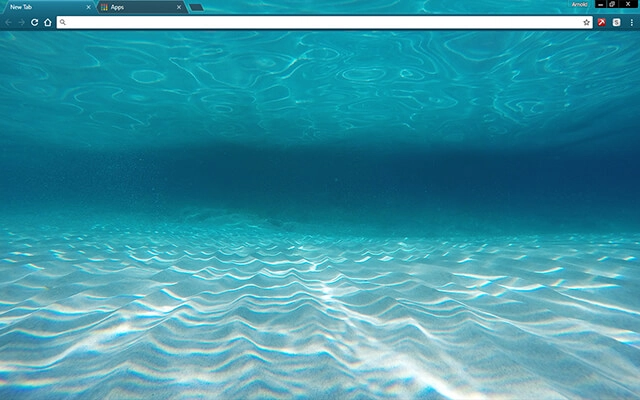
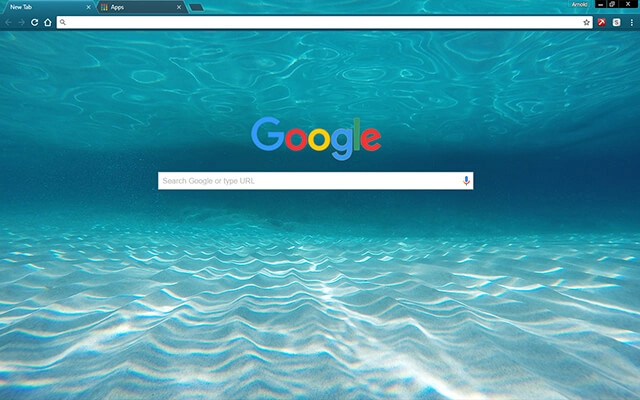
Sunlit ripples dance across the sandy ocean floor while deeper blues fade into the distance, creating a beautifully balanced underwater view. The soft lighting and gentle gradients make this theme feel clean, refreshing, and naturally relaxing each time you open a tab.
- Soft blues help reduce eye strain.
- Peaceful imagery enhances daily focus.
- Optimized for Chrome.
- Works great on Chromebook, Windows PC & Mac.
Behind The Theme
This theme was crafted to evoke the quiet stillness found beneath calm ocean waves. The shifting light patterns, smooth textures, and cool colors work together to create a peaceful environment ideal for focused browsing or ambient relaxation during your day.
I imagined floating just beneath the surface on a warm day, watching sunlight ripple across the sand, and turned that tranquil moment into a soothing theme.
Screenshots
Tranquil Water is currently available in the Chrome Web Store. This custom theme is free to add to your browser and comes with lifetime updates.
How To Install
Installing a Chrome theme only takes a few seconds.
Want to switch back later? Chrome settings → Appearance → Reset to default.
FAQs
Does this Chrome theme slow down my browser?
No. Chrome themes only change the visual appearance of the browser. Performance is affected more by open tabs and installed extensions.
Can I use this theme on a Chromebook?
Yes. If a theme is available in the Chrome Web Store, it works the same way on Chromebooks, Windows, macOS, and Linux.
How do I remove or reset a Chrome theme?
Open Chrome settings, go to Appearance, and click Reset to default. Your browser will instantly return to the standard Chrome theme.
Is this theme free?
Yes. This Chrome theme is free to install from the Chrome Web Store and includes lifetime updates.
Will this theme change my homepage or search engine?
No. Themes only affect colors and background images. They do not modify your homepage, new tab behavior, or search settings.
















