Preview
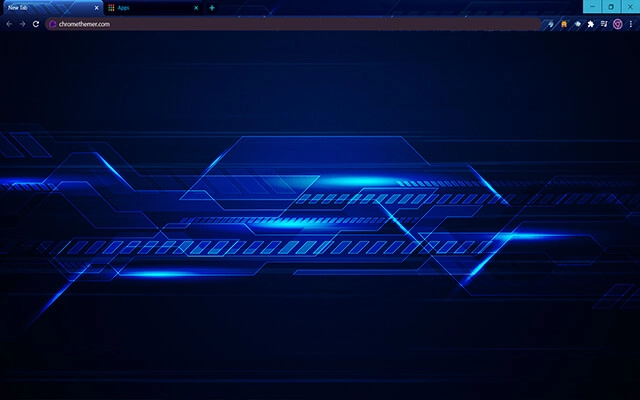
Theme Overview
Perfect for tech enthusiasts, coders, and gamers who enjoy crisp neon interfaces and sharp digital aesthetics.
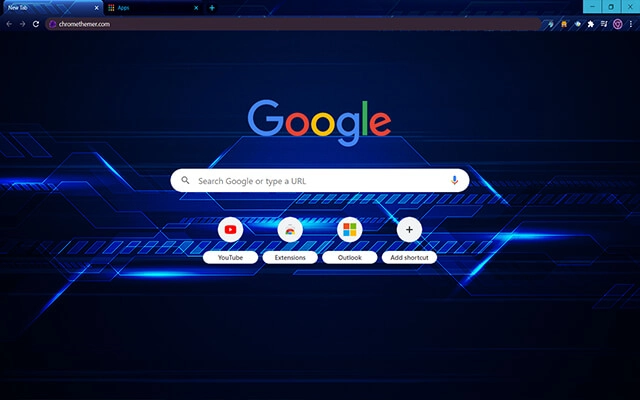
This theme features glowing blue circuitry, geometric overlays, and smooth glitched effects that create a high-tech visual flow. Its sharp neon tones add depth and energy, giving your browser a clean, modern, cyber-inspired appearance.
- Enhances focus with clean digital visuals.
- Creates a strong futuristic browsing atmosphere.
- Optimized for Chrome.
- Works great on Chromebook, Windows PC & Mac.
Behind The Theme
Techno Glitched Blue was crafted to amplify the look and feel of a digital workspace. The electric lines and neon shapes evoke movement and innovation, inspiring productivity while giving your browser a bold, modern identity.
I shaped this theme after picturing a quiet night in a neon-lit lab, wanting to capture the pulse of technology and the thrill of fast, futuristic motion.
Screenshots
Techno Glitched Blue is currently available in the Chrome Web Store. This custom theme is free to add to your browser and comes with lifetime updates.
How To Install
Installing a Chrome theme only takes a few seconds.
Want to switch back later? Chrome settings → Appearance → Reset to default.
FAQs
Does this Chrome theme slow down my browser?
No. Chrome themes only change the visual appearance of the browser. Performance is affected more by open tabs and installed extensions.
Can I use this theme on a Chromebook?
Yes. If a theme is available in the Chrome Web Store, it works the same way on Chromebooks, Windows, macOS, and Linux.
How do I remove or reset a Chrome theme?
Open Chrome settings, go to Appearance, and click Reset to default. Your browser will instantly return to the standard Chrome theme.
Is this theme free?
Yes. This Chrome theme is free to install from the Chrome Web Store and includes lifetime updates.
Will this theme change my homepage or search engine?
No. Themes only affect colors and background images. They do not modify your homepage, new tab behavior, or search settings.
















