Preview
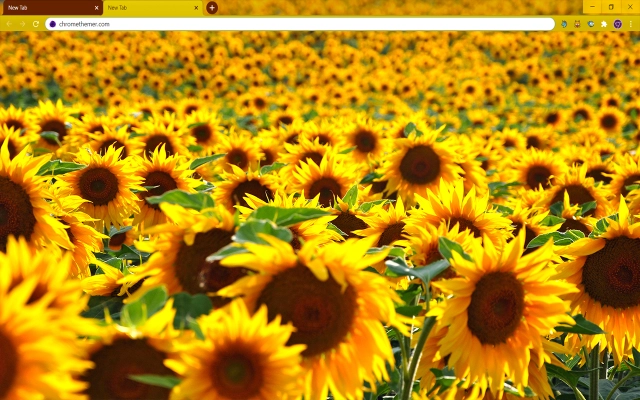
Theme Overview
Made for users who love bold floral photography, uplifting colors, and nature-inspired visuals that spark motivation and creative energy throughout the day.
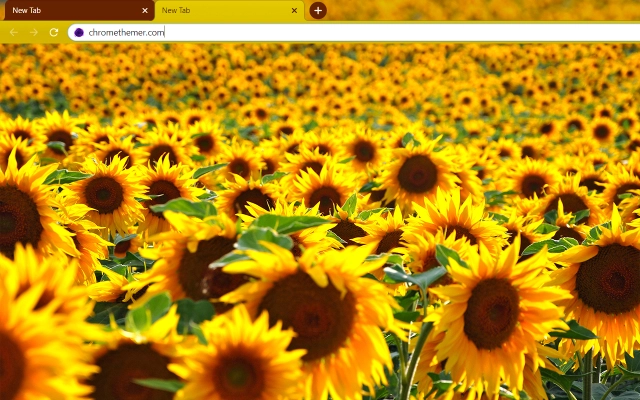
This theme showcases a dense field of glowing sunflowers basking in warm sunlight. Rich yellows, deep brown centers, and lush greens create a vibrant, high-contrast composition that feels alive, immersive, and full of positive summer energy across every corner of your browser.
- Boosts mood with vivid summer colors.
- Creates an energizing, uplifting workspace.
- Optimized for Chrome.
- Works great on Chromebook, Windows PC & Mac.
Behind The Theme
Solarized Sunflowers was designed to bring warmth and vitality to your browsing experience. The intense golden tones and lush floral textures add natural brightness, helping you stay inspired, focused, and emotionally refreshed whether you're working, studying, or exploring online.
I built this theme after capturing sunlight spilling across a sunflower field, hoping to bottle that burst of summer energy and share its bright, positive atmosphere with anyone who opens their browser.
Screenshots
Solarized Sunflowers is currently available in the Chrome Web Store. This custom theme is free to add to your browser and comes with lifetime updates.
How To Install
Installing a Chrome theme only takes a few seconds.
Want to switch back later? Chrome settings → Appearance → Reset to default.
FAQs
Does this Chrome theme slow down my browser?
No. Chrome themes only change the visual appearance of the browser. Performance is affected more by open tabs and installed extensions.
Can I use this theme on a Chromebook?
Yes. If a theme is available in the Chrome Web Store, it works the same way on Chromebooks, Windows, macOS, and Linux.
How do I remove or reset a Chrome theme?
Open Chrome settings, go to Appearance, and click Reset to default. Your browser will instantly return to the standard Chrome theme.
Is this theme free?
Yes. This Chrome theme is free to install from the Chrome Web Store and includes lifetime updates.
Will this theme change my homepage or search engine?
No. Themes only affect colors and background images. They do not modify your homepage, new tab behavior, or search settings.
















