Preview
Theme Overview
Designed for nature lovers, winter-season enthusiasts, and users who enjoy serene landscapes that inspire quiet focus and mindful browsing.
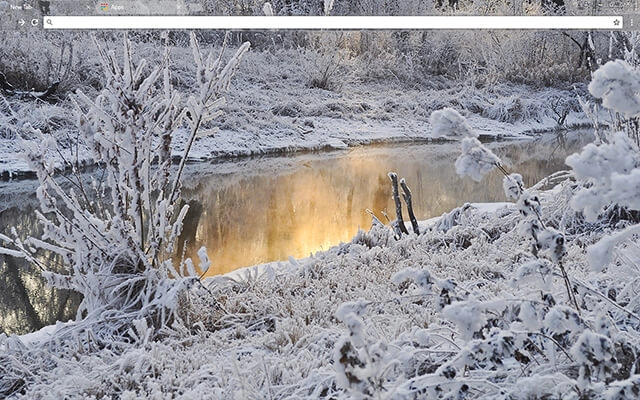
This theme captures a frosty creek framed by snow-covered branches and soft winter grasses. Warm sunrise light reflects off the still water, creating a stunning contrast between icy textures and golden radiance. The detailed composition adds depth, clarity, and peaceful seasonal atmosphere.
- Enhances focus with soft natural tones.
- Brightens browsing with warm winter contrast.
- Optimized for Chrome.
- Works great on Chromebook, Windows PC & Mac.
Behind The Theme
Snowy Creek was created to deliver a calming winter escape each time you open your browser. The glowing reflection and frosted textures offer a balanced mix of warmth and stillness, giving users a clean, refreshing visual environment that supports productivity and calm thinking.
I built this theme after noticing the way early sunlight danced across a frozen creek, hoping to preserve that peaceful winter moment and share its quiet clarity through a simple design.
Screenshots
Snowy Creek is currently available in the Chrome Web Store. This custom theme is free to add to your browser and comes with lifetime updates.

How To Install
Installing a Chrome theme only takes a few seconds.
Want to switch back later? Chrome settings → Appearance → Reset to default.
FAQs
Does this Chrome theme slow down my browser?
No. Chrome themes only change the visual appearance of the browser. Performance is affected more by open tabs and installed extensions.
Can I use this theme on a Chromebook?
Yes. If a theme is available in the Chrome Web Store, it works the same way on Chromebooks, Windows, macOS, and Linux.
How do I remove or reset a Chrome theme?
Open Chrome settings, go to Appearance, and click Reset to default. Your browser will instantly return to the standard Chrome theme.
Is this theme free?
Yes. This Chrome theme is free to install from the Chrome Web Store and includes lifetime updates.
Will this theme change my homepage or search engine?
No. Themes only affect colors and background images. They do not modify your homepage, new tab behavior, or search settings.
















