Preview
Theme Overview
Perfect for users who love cute patterns, Valentine-style visuals and pink designs that add cheerful, love-themed charm to their browsing.
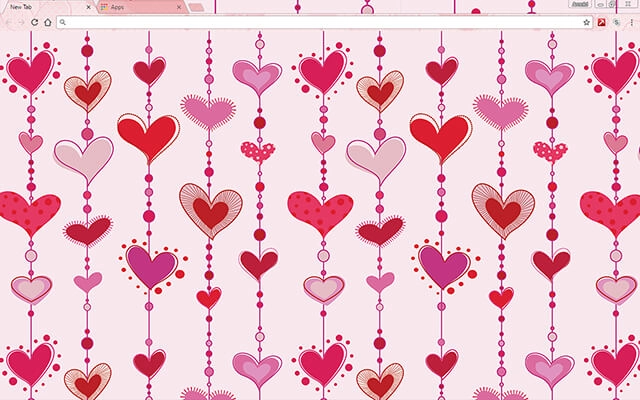
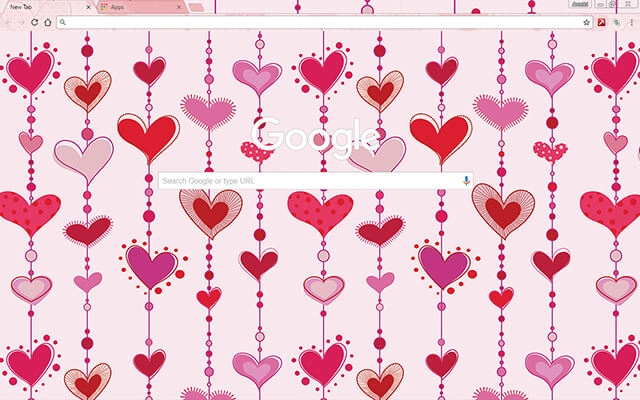
Hearts In Love features rows of charming pink and red hearts connected by dotted vertical lines, creating a whimsical repeating pattern. Soft backgrounds, bright accents and varied shapes form a lively, adorable aesthetic ideal for fans of playful romantic designs.
- Cute repeating hearts add playful charm.
- Soft pink tones create cheerful warmth.
- Optimized for Chrome.
- Works great on Chromebook, Windows PC & Mac.
Behind The Theme
I designed this theme to capture the fun, sweet feeling of playful love-themed art. The layered shapes, soft outlines and lively variations in color create a charming environment perfect for users who enjoy cute, romantic visuals with a whimsical edge.
The pattern was inspired while doodling heart shapes on paper, and I turned that cheerful idea into a bright, love-filled Chrome theme meant to spread a little happiness.
Screenshots
Hearts In Love is currently available in the Chrome Web Store. This custom theme is free to add to your browser and comes with lifetime updates.
How To Install
Installing a Chrome theme only takes a few seconds.
Want to switch back later? Chrome settings → Appearance → Reset to default.
FAQs
Does this Chrome theme slow down my browser?
No. Chrome themes only change the visual appearance of the browser. Performance is affected more by open tabs and installed extensions.
Can I use this theme on a Chromebook?
Yes. If a theme is available in the Chrome Web Store, it works the same way on Chromebooks, Windows, macOS, and Linux.
How do I remove or reset a Chrome theme?
Open Chrome settings, go to Appearance, and click Reset to default. Your browser will instantly return to the standard Chrome theme.
Is this theme free?
Yes. This Chrome theme is free to install from the Chrome Web Store and includes lifetime updates.
Will this theme change my homepage or search engine?
No. Themes only affect colors and background images. They do not modify your homepage, new tab behavior, or search settings.
















