Preview
Theme Overview
Made for astronomy lovers, mindful workers and anyone who prefers clean, atmospheric visuals that promote clarity and concentration.
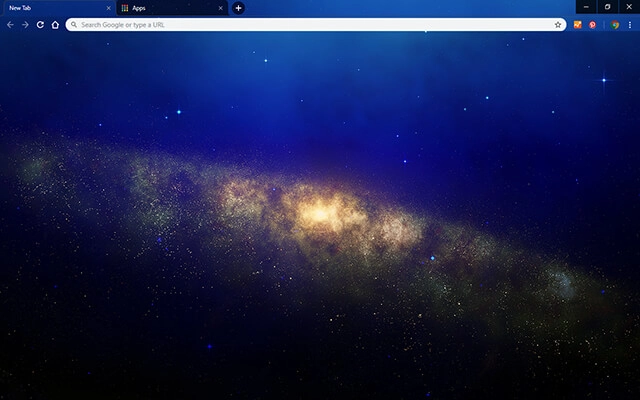
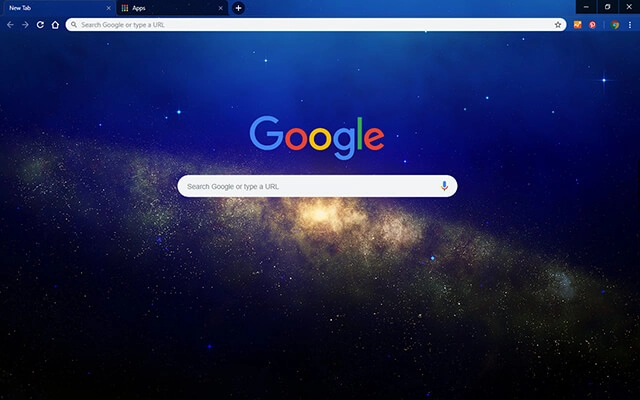
Galaxy Space features a luminous golden cluster surrounded by soft blue gradients and subtle star fields. The central galactic strip creates natural depth and balance, offering a premium space aesthetic without overwhelming the user's interface or workspace.
- Calm space design boosts daily focus.
- Gentle colors reduce visual distraction.
- Optimized for Chrome.
- Works great on Chromebook, Windows PC & Mac.
Behind The Theme
This theme was created to bring the tranquility of the cosmos into everyday browsing. Its soft gradients, natural star glow and realistic galactic texture help users feel centered, inspired and ready to work with a clear, uncluttered digital mindset.
I crafted this theme after staring at long-exposure galaxy photos, wanting to recreate that peaceful, drifting feeling the night sky gives when everything else goes quiet.
Screenshots
Galaxy Space is currently available in the Chrome Web Store. This custom theme is free to add to your browser and comes with lifetime updates.
How To Install
Installing a Chrome theme only takes a few seconds.
Want to switch back later? Chrome settings → Appearance → Reset to default.
FAQs
Does this Chrome theme slow down my browser?
No. Chrome themes only change the visual appearance of the browser. Performance is affected more by open tabs and installed extensions.
Can I use this theme on a Chromebook?
Yes. If a theme is available in the Chrome Web Store, it works the same way on Chromebooks, Windows, macOS, and Linux.
How do I remove or reset a Chrome theme?
Open Chrome settings, go to Appearance, and click Reset to default. Your browser will instantly return to the standard Chrome theme.
Is this theme free?
Yes. This Chrome theme is free to install from the Chrome Web Store and includes lifetime updates.
Will this theme change my homepage or search engine?
No. Themes only affect colors and background images. They do not modify your homepage, new tab behavior, or search settings.
















