Preview
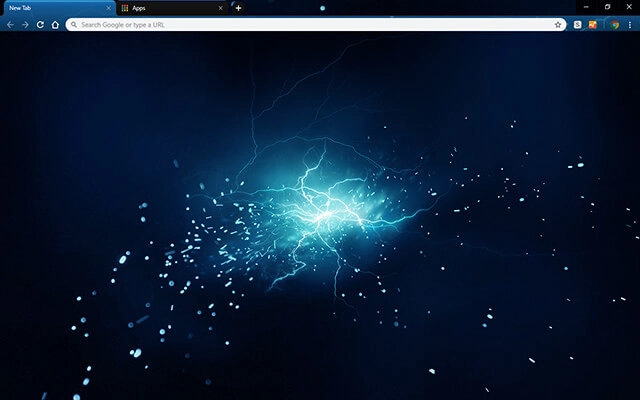
Theme Overview
Designed for users who love neon color palettes, high-tech abstract art, and dynamic energy visuals that make browsing feel bold and modern.
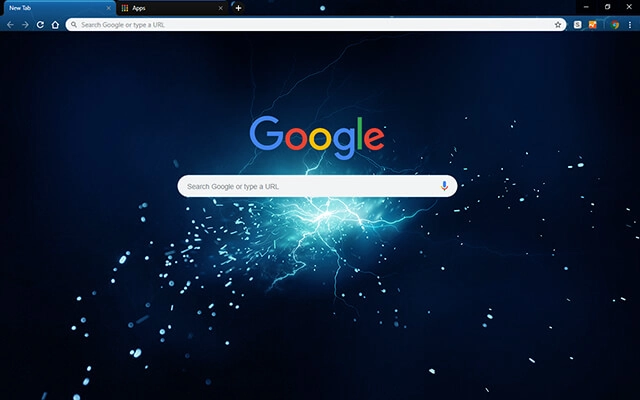
This theme highlights a glowing electric core radiating bright blue energy across a dark backdrop. Scattered sparks and subtle surrounding texture give the design a sense of movement, intensity, and modern digital style.
- Bright neon-blue energy adds visual impact.
- Dynamic sparks create futuristic motion.
- Optimized for Chrome.
- Works great on Chromebook, Windows PC & Mac.
Behind The Theme
The design blends layered blue luminosity with scattered particle effects to create a powerful electric burst. Its glowing core, subtle gradients, and fast-moving sparks deliver a high-tech aesthetic perfect for users who enjoy bold, abstract digital art.
The idea formed while imagining a sudden surge of raw energy in a dark room, and that flash of blue intensity inspired me to create this electrifying theme.
Screenshots
Electric Blue is currently available in the Chrome Web Store. This custom theme is free to add to your browser and comes with lifetime updates.
How To Install
Installing a Chrome theme only takes a few seconds.
Want to switch back later? Chrome settings → Appearance → Reset to default.
FAQs
Does this Chrome theme slow down my browser?
No. Chrome themes only change the visual appearance of the browser. Performance is affected more by open tabs and installed extensions.
Can I use this theme on a Chromebook?
Yes. If a theme is available in the Chrome Web Store, it works the same way on Chromebooks, Windows, macOS, and Linux.
How do I remove or reset a Chrome theme?
Open Chrome settings, go to Appearance, and click Reset to default. Your browser will instantly return to the standard Chrome theme.
Is this theme free?
Yes. This Chrome theme is free to install from the Chrome Web Store and includes lifetime updates.
Will this theme change my homepage or search engine?
No. Themes only affect colors and background images. They do not modify your homepage, new tab behavior, or search settings.
















