Preview
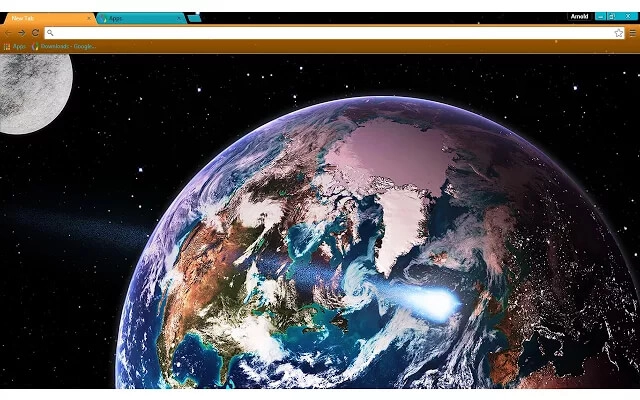
Theme Overview
Designed for users who appreciate high-resolution planetary imagery, scientific visuals, and colorful space themes that make browsing feel brighter and more inspiring.
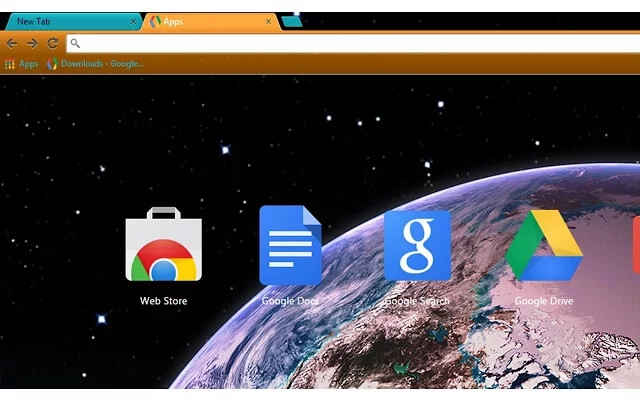
This theme displays Earth in rich high-definition, with detailed landmasses, swirling cloud systems, and vibrant atmospheric glow. A softly lit moon and crisp star field complete the colorful, immersive deep-space composition.
- Ultra-detailed Earth textures enhance realism.
- Bright color palette adds visual energy.
- Optimized for Chrome.
- Works great on Chromebook, Windows PC & Mac.
Behind The Theme
The design blends vivid global coloration with layered clouds and atmospheric light to create a striking, high-resolution space scene. Its bold contrasts, sharp details, and dynamic planetary textures make the theme ideal for science fans and users who love bright cosmic imagery.
This theme began as a fun idea sparked by seeing a brilliantly enhanced satellite photo, and I wanted to turn that vibrant, high-energy view of Earth into a bold space design.
Screenshots
Earth HD is currently available in the Chrome Web Store. This custom theme is free to add to your browser and comes with lifetime updates.
How To Install
Installing a Chrome theme only takes a few seconds.
Want to switch back later? Chrome settings → Appearance → Reset to default.
FAQs
Does this Chrome theme slow down my browser?
No. Chrome themes only change the visual appearance of the browser. Performance is affected more by open tabs and installed extensions.
Can I use this theme on a Chromebook?
Yes. If a theme is available in the Chrome Web Store, it works the same way on Chromebooks, Windows, macOS, and Linux.
How do I remove or reset a Chrome theme?
Open Chrome settings, go to Appearance, and click Reset to default. Your browser will instantly return to the standard Chrome theme.
Is this theme free?
Yes. This Chrome theme is free to install from the Chrome Web Store and includes lifetime updates.
Will this theme change my homepage or search engine?
No. Themes only affect colors and background images. They do not modify your homepage, new tab behavior, or search settings.
















