Preview
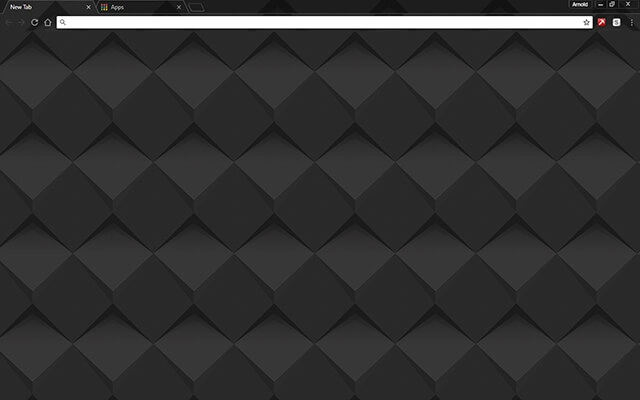
Theme Overview
Designed for users who enjoy geometric patterns, subtle 3D depth, and dark modern interfaces that feel clean, stable, and visually balanced.
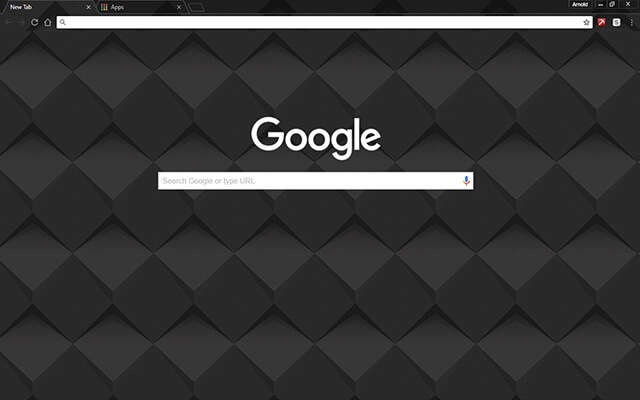
This theme features a grid of diamond-shaped tiles with soft downward shadows, giving the surface a polished 3D appearance. The matte charcoal tones and precise geometric layout create a sleek, modern aesthetic perfect for users who appreciate low-gloss structure.
- 3D diamond grid adds visual depth.
- Matte tones create a clean interface.
- Optimized for Chrome.
- Works great on Chromebook, Windows PC & Mac.
Behind The Theme
The design blends subtle gradients, shadow placement, and sharp geometry to create a dark theme that feels both calm and refined. Its structured layout delivers a sense of order and stability, making it ideal for users who prefer minimal yet visually rich dark styling.
I imagined a wall of shifting geometric panels illuminated by soft shadows, and that idea inspired me to create a theme that brings quiet structure and modern depth to the browser.
Screenshots
Dark Shader is currently available in the Chrome Web Store. This custom theme is free to add to your browser and comes with lifetime updates.
How To Install
Installing a Chrome theme only takes a few seconds.
Want to switch back later? Chrome settings → Appearance → Reset to default.
FAQs
Does this Chrome theme slow down my browser?
No. Chrome themes only change the visual appearance of the browser. Performance is affected more by open tabs and installed extensions.
Can I use this theme on a Chromebook?
Yes. If a theme is available in the Chrome Web Store, it works the same way on Chromebooks, Windows, macOS, and Linux.
How do I remove or reset a Chrome theme?
Open Chrome settings, go to Appearance, and click Reset to default. Your browser will instantly return to the standard Chrome theme.
Is this theme free?
Yes. This Chrome theme is free to install from the Chrome Web Store and includes lifetime updates.
Will this theme change my homepage or search engine?
No. Themes only affect colors and background images. They do not modify your homepage, new tab behavior, or search settings.
















