Preview
Theme Overview
Made for users who enjoy moody landscapes, quiet natural scenes, and dark, cinematic visuals that inspire curiosity and focus.
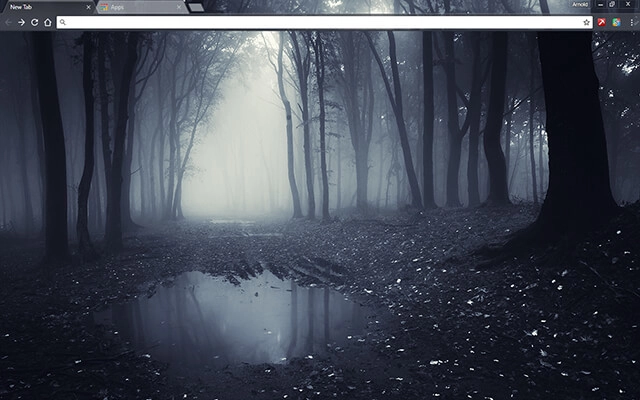
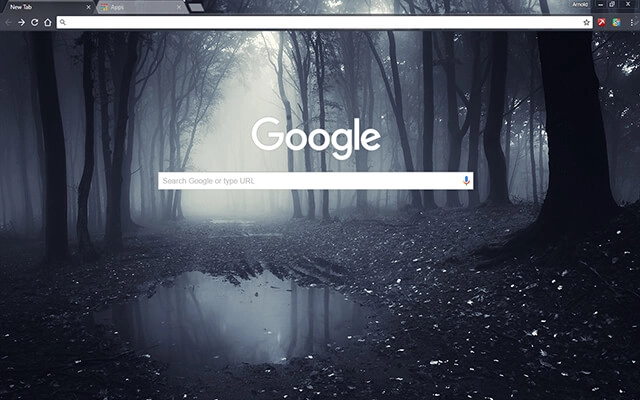
This theme showcases a foggy forest path framed by tall, shadowed trees and a reflective puddle that captures the muted light. Its cool greys and soft contrasts create a tranquil yet mysterious environment ideal for atmospheric browsing.
- Calming mist tones enhance focus.
- inematic woodland depth adds mood.
- Optimized for Chrome.
- Works great on Chromebook, Windows PC & Mac.
Behind The Theme
The theme blends natural stillness with subtle tension, using layered fog, deep tree silhouettes, and reflective water to create an emotional, story-like atmosphere. It's perfect for users who appreciate quiet scenery, moody design, and immersive visual depth during browsing.
I pictured walking alone through a silent forest after rain, the mist rising between the trees, and wanted to capture that haunting calmness in a theme built for reflective browsing.
Screenshots
Dark Forest is currently available in the Chrome Web Store. This custom theme is free to add to your browser and comes with lifetime updates.
How To Install
Installing a Chrome theme only takes a few seconds.
Want to switch back later? Chrome settings → Appearance → Reset to default.
FAQs
Does this Chrome theme slow down my browser?
No. Chrome themes only change the visual appearance of the browser. Performance is affected more by open tabs and installed extensions.
Can I use this theme on a Chromebook?
Yes. If a theme is available in the Chrome Web Store, it works the same way on Chromebooks, Windows, macOS, and Linux.
How do I remove or reset a Chrome theme?
Open Chrome settings, go to Appearance, and click Reset to default. Your browser will instantly return to the standard Chrome theme.
Is this theme free?
Yes. This Chrome theme is free to install from the Chrome Web Store and includes lifetime updates.
Will this theme change my homepage or search engine?
No. Themes only affect colors and background images. They do not modify your homepage, new tab behavior, or search settings.
















