Preview
Theme Overview
This theme was created for users who love intense color, fast-moving visuals, and a dynamic browsing style that feels exciting and modern.
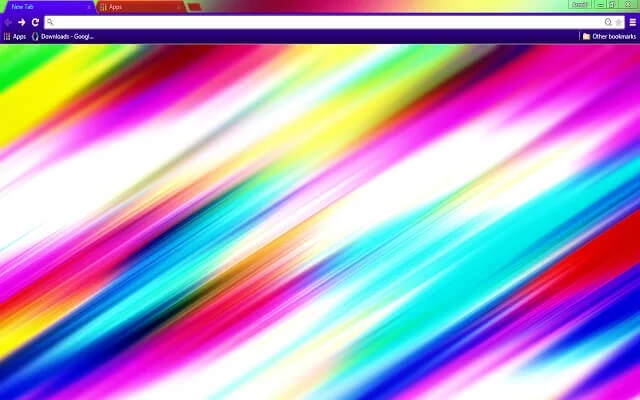
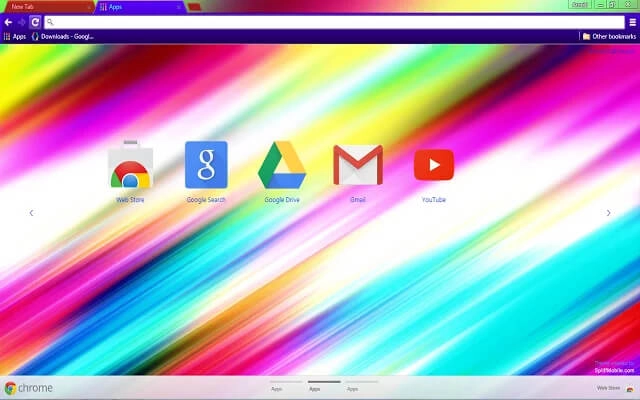
Bold streaks of neon color rush diagonally across a bright canvas, blending saturated blues, purples, yellows, and reds into a striking display of motion. The high-contrast composition creates a visually thrilling environment while keeping browser text and icons clean and readable.
- Bright neon colors energize every tab.
- High contrast improves overall readability.
- Optimized for Chrome.
- Works great on Chromebook, Windows PC & Mac.
Behind The Theme
The fast-moving streaks evoke energy and momentum, creating a sense of speed that suits users who enjoy modern, vivid digital art. Its bold palette enhances mood and motivation, making everyday browsing feel more expressive, colorful, and visually stimulating.
I created this theme after accidentally capturing a long-exposure shot of moving lights, and the explosive streaks inspired me to recreate that same burst of color in digital form.
Screenshots
Color Blast is currently available in the Chrome Web Store. This custom theme is free to add to your browser and comes with lifetime updates.
How To Install
Installing a Chrome theme only takes a few seconds.
Want to switch back later? Chrome settings → Appearance → Reset to default.
FAQs
Does this Chrome theme slow down my browser?
No. Chrome themes only change the visual appearance of the browser. Performance is affected more by open tabs and installed extensions.
Can I use this theme on a Chromebook?
Yes. If a theme is available in the Chrome Web Store, it works the same way on Chromebooks, Windows, macOS, and Linux.
How do I remove or reset a Chrome theme?
Open Chrome settings, go to Appearance, and click Reset to default. Your browser will instantly return to the standard Chrome theme.
Is this theme free?
Yes. This Chrome theme is free to install from the Chrome Web Store and includes lifetime updates.
Will this theme change my homepage or search engine?
No. Themes only affect colors and background images. They do not modify your homepage, new tab behavior, or search settings.
















