Preview
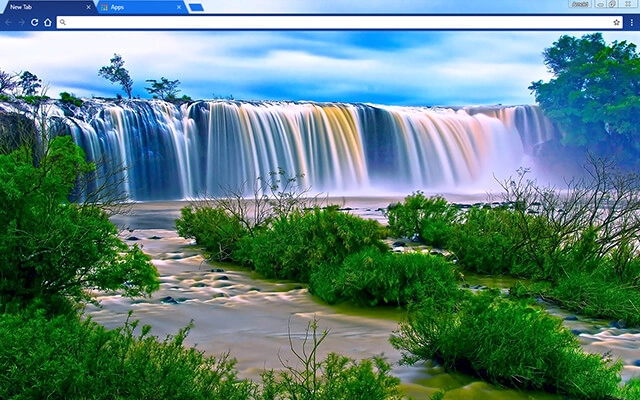
Theme Overview
Created for nature lovers who enjoy peaceful scenery, soft colors, and a relaxing, distraction-free browsing environment.
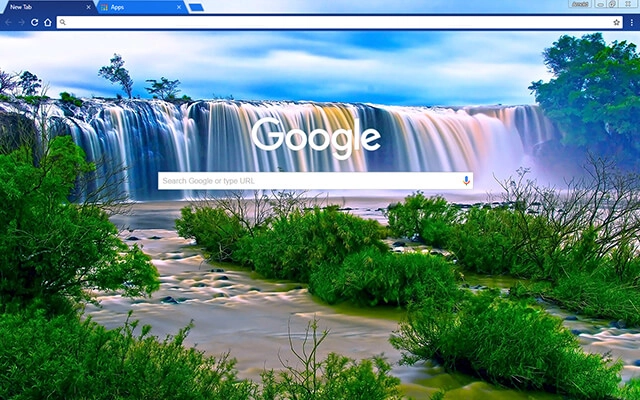
This theme features a stunning blue waterfall flowing across lush green terrain, captured with vibrant clarity. Soft mist, rich textures, and smooth motion tones create a refreshing atmosphere. The soothing blue color palette enhances readability while bringing a relaxing, nature-inspired aesthetic to your Chrome experience.
- Clean, refreshing nature-inspired browser experience.
- Soft blue tones reduce visual strain.
- Optimized for Chrome.
- Works great on Chromebook, Windows PC & Mac.
Behind The Theme
I created this theme to share the peaceful feeling waterfalls have always given me. The flowing water, soft mist, and gentle blue hues inspired a design meant to help users feel calm and centered every time they open a new tab.
Legend says this waterfall appears only once each decade, glowing with soft blue light that refreshes anyone who sees it. I tried to capture that magical moment in this theme so the calm never fades.
Screenshots
Blue Waterfall is currently available in the Chrome Web Store. This custom theme is free to add to your browser and comes with lifetime updates.
How To Install
Installing a Chrome theme only takes a few seconds.
Want to switch back later? Chrome settings → Appearance → Reset to default.
FAQs
Does this Chrome theme slow down my browser?
No. Chrome themes only change the visual appearance of the browser. Performance is affected more by open tabs and installed extensions.
Can I use this theme on a Chromebook?
Yes. If a theme is available in the Chrome Web Store, it works the same way on Chromebooks, Windows, macOS, and Linux.
How do I remove or reset a Chrome theme?
Open Chrome settings, go to Appearance, and click Reset to default. Your browser will instantly return to the standard Chrome theme.
Is this theme free?
Yes. This Chrome theme is free to install from the Chrome Web Store and includes lifetime updates.
Will this theme change my homepage or search engine?
No. Themes only affect colors and background images. They do not modify your homepage, new tab behavior, or search settings.
















