Preview
Theme Overview
Created for floral-design lovers, calm-space enthusiasts, and users who enjoy soft, refreshing visuals that enhance focus and brighten their browsing environment.
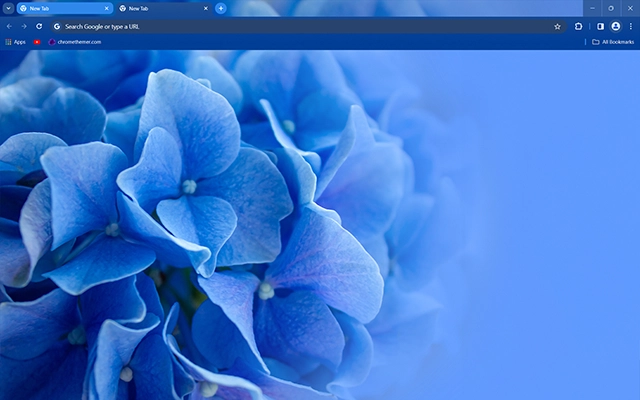
This theme features a beautifully detailed hydrangea bloom captured in vibrant blue tones. The soft gradient fade on the right creates a gentle balance between vivid detail and airy openness, making the design feel fresh, clean, and wonderfully soothing.
- Soft blue petals create peaceful clarity.
- Elegant floral detail brightens daily browsing.
- Optimized for Chrome.
- Works great on Chromebook, Windows PC & Mac.
Behind The Theme
The Blue Hydrangea theme was crafted to bring natural calm and subtle beauty to the Chrome experience. Its delicate textures, rich blue hues, and soft background fade create a visually relaxing environment ideal for productivity, creativity, and unwinding throughout the day.
I created this theme after photographing a hydrangea in soft morning light and realizing how the gentle blue petals could form a calming, elegant backdrop for everyday browsing.
Screenshots
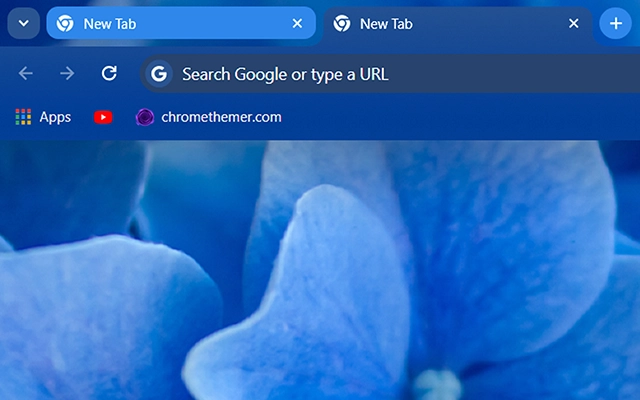
Blue Hydrangea is currently available in the Chrome Web Store. This custom theme is free to add to your browser and comes with lifetime updates.
How To Install
Installing a Chrome theme only takes a few seconds.
Want to switch back later? Chrome settings → Appearance → Reset to default.
FAQs
Does this Chrome theme slow down my browser?
No. Chrome themes only change the visual appearance of the browser. Performance is affected more by open tabs and installed extensions.
Can I use this theme on a Chromebook?
Yes. If a theme is available in the Chrome Web Store, it works the same way on Chromebooks, Windows, macOS, and Linux.
How do I remove or reset a Chrome theme?
Open Chrome settings, go to Appearance, and click Reset to default. Your browser will instantly return to the standard Chrome theme.
Is this theme free?
Yes. This Chrome theme is free to install from the Chrome Web Store and includes lifetime updates.
Will this theme change my homepage or search engine?
No. Themes only affect colors and background images. They do not modify your homepage, new tab behavior, or search settings.
















