Preview
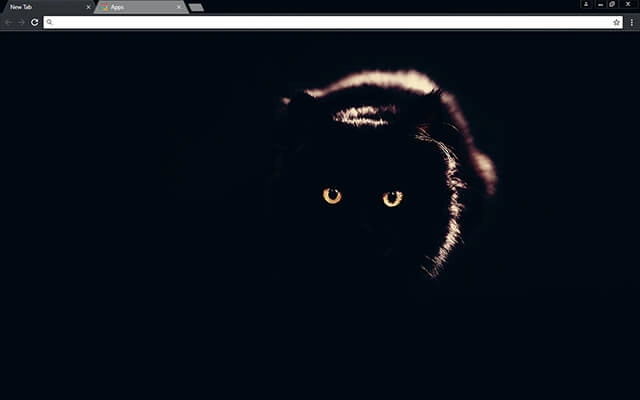
Theme Overview
Designed for cat lovers, night-mode enthusiasts, and users who appreciate moody, minimalist visuals that create a focused and atmospheric browsing environment.
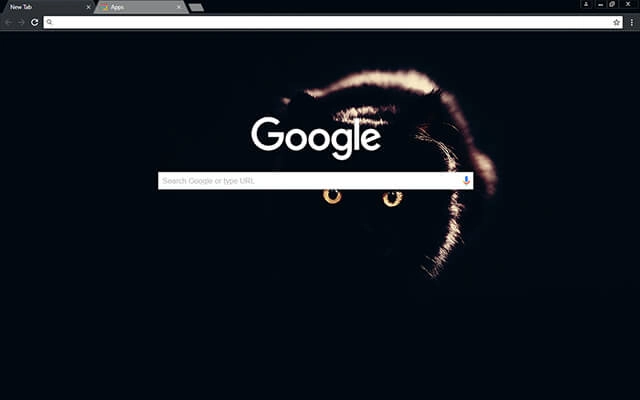
The theme features a striking black cat emerging from a completely dark background, illuminated only by soft highlights and intense golden eyes. The high-contrast composition offers a clean, cinematic style that keeps the interface uncluttered and visually captivating.
- Dramatic lighting adds immersive depth.
- Minimalist darkness improves browsing focus.
- Optimized for Chrome.
- Works great on Chromebook, Windows PC & Mac.
Behind The Theme
This theme was created for users who love the quiet intensity of nighttime visuals. The subtle highlights and warm eye glow give the browser a powerful, atmospheric presence, making each tab feel focused, modern, and visually refined without overwhelming the screen.
I designed this theme after catching a glimpse of a cat watching me from the shadows one evening, its golden eyes glowing just enough to spark the entire idea.
Screenshots
Black Cat is currently available in the Chrome Web Store. This custom theme is free to add to your browser and comes with lifetime updates.
How To Install
Installing a Chrome theme only takes a few seconds.
Want to switch back later? Chrome settings → Appearance → Reset to default.
FAQs
Does this Chrome theme slow down my browser?
No. Chrome themes only change the visual appearance of the browser. Performance is affected more by open tabs and installed extensions.
Can I use this theme on a Chromebook?
Yes. If a theme is available in the Chrome Web Store, it works the same way on Chromebooks, Windows, macOS, and Linux.
How do I remove or reset a Chrome theme?
Open Chrome settings, go to Appearance, and click Reset to default. Your browser will instantly return to the standard Chrome theme.
Is this theme free?
Yes. This Chrome theme is free to install from the Chrome Web Store and includes lifetime updates.
Will this theme change my homepage or search engine?
No. Themes only affect colors and background images. They do not modify your homepage, new tab behavior, or search settings.
















