Preview
Theme Overview
Created for beach lovers, summer dreamers, and anyone who wants a calm, uplifting browsing space that feels like a holiday.
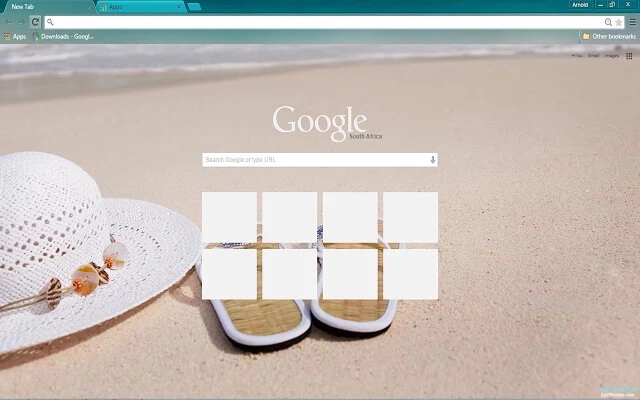
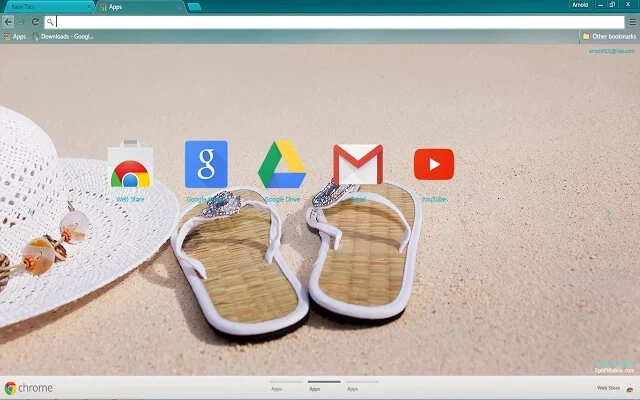
This theme features a clean, minimal beach scene with warm sand in the foreground and gentle waves in the distance. A white summer hat and sandals rest casually on the shore, evoking a quiet vacation moment. The soft colors and open space keep your Chrome workspace bright, uncluttered, and soothing.
- Soft coastal tones reduce stress while browsing.
- Clean layout keeps focus on your tabs.
- Optimized for Chrome.
- Works great on Chromebook, Windows PC & Mac.
Behind The Theme
Beach Day was designed to bring a gentle vacation feeling into your daily routine. The warm sand, subtle shadows, and pastel shoreline create a light, airy mood. It's ideal for users who want a refreshing, distraction-free background that keeps their browser feeling calm and positive.
I first created this theme after a quiet afternoon on a local beach, then sadly lost the original files over time. The memory of that peaceful moment stayed with me, so I rebuilt Beach Day to keep that calm feeling alive.
Screenshots
Beach Day is currently available in the Chrome Web Store. This custom theme is free to add to your browser and comes with lifetime updates.
How To Install
Installing a Chrome theme only takes a few seconds.
Want to switch back later? Chrome settings → Appearance → Reset to default.
FAQs
Does this Chrome theme slow down my browser?
No. Chrome themes only change the visual appearance of the browser. Performance is affected more by open tabs and installed extensions.
Can I use this theme on a Chromebook?
Yes. If a theme is available in the Chrome Web Store, it works the same way on Chromebooks, Windows, macOS, and Linux.
How do I remove or reset a Chrome theme?
Open Chrome settings, go to Appearance, and click Reset to default. Your browser will instantly return to the standard Chrome theme.
Is this theme free?
Yes. This Chrome theme is free to install from the Chrome Web Store and includes lifetime updates.
Will this theme change my homepage or search engine?
No. Themes only affect colors and background images. They do not modify your homepage, new tab behavior, or search settings.
















