Preview
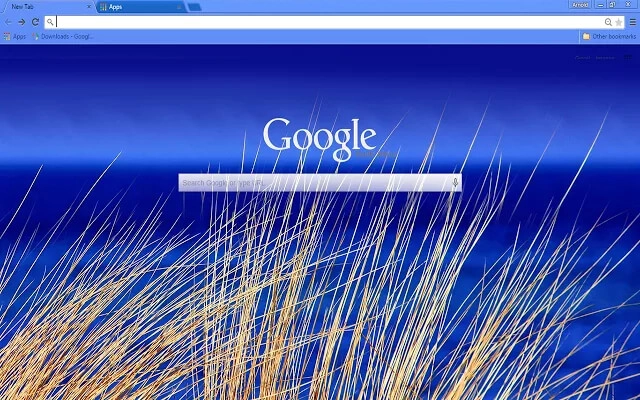
Theme Overview
Perfect for ocean lovers who enjoy clean, peaceful nature themes that make every tab feel calm and refreshing.
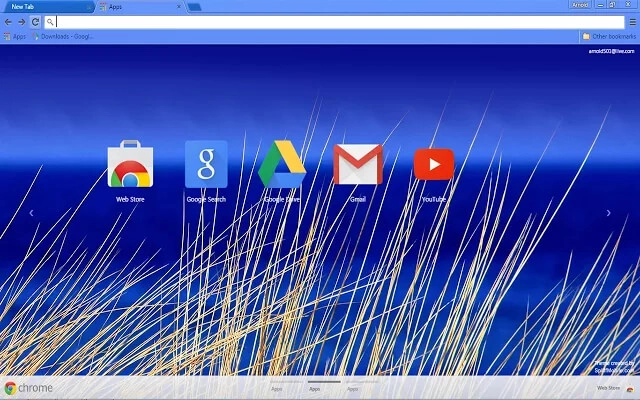
This theme captures the quiet beauty of a beachside morning: golden reeds swaying gently against a rich blue sea. The gradient horizon gives the page depth and serenity, while the light blue tab and toolbar area blend smoothly with the image for a soothing, distraction-free browsing layout.
- Relaxing coastal colors ideal for stress-free browsing.
- Clean, bright tabs for better visibility and focus.
- Optimized for Chrome.
- Works great on Chromebook, Windows PC & Mac.
Behind The Theme
The fine details of the golden beach grass create natural texture, while the layered blues of the water and sky add depth to the scene. The soft gradient enhances readability, and the theme's light header area helps tabs stand out without breaking the tranquil coastal mood.
This theme was inspired by a quiet early-morning walk along a windswept coastline, capturing the moment when the sea turns a deep, glowing blue under the rising sun. I wanted that peaceful ocean feeling to greet you with every new tab.
Screenshots
Beach Blue is currently available in the Chrome Web Store. This custom theme is free to add to your browser and comes with lifetime updates.
How To Install
Installing a Chrome theme only takes a few seconds.
Want to switch back later? Chrome settings → Appearance → Reset to default.
FAQs
Does this Chrome theme slow down my browser?
No. Chrome themes only change the visual appearance of the browser. Performance is affected more by open tabs and installed extensions.
Can I use this theme on a Chromebook?
Yes. If a theme is available in the Chrome Web Store, it works the same way on Chromebooks, Windows, macOS, and Linux.
How do I remove or reset a Chrome theme?
Open Chrome settings, go to Appearance, and click Reset to default. Your browser will instantly return to the standard Chrome theme.
Is this theme free?
Yes. This Chrome theme is free to install from the Chrome Web Store and includes lifetime updates.
Will this theme change my homepage or search engine?
No. Themes only affect colors and background images. They do not modify your homepage, new tab behavior, or search settings.
















